A free Google Sheets workbook for Black Friday and Cyber Monday reporting, built on SyncRange Shopify exports.
Pair the sheet with scheduled SyncRange exports so Summary, Daily, Hourly, YoY, discounts, customers, and refunds
stay current through the BFCM window.
You can also build a Looker Studio report on top of this Google Sheet (or BigQuery) if you want a separate dashboard later.
BFCM Summary and Daily
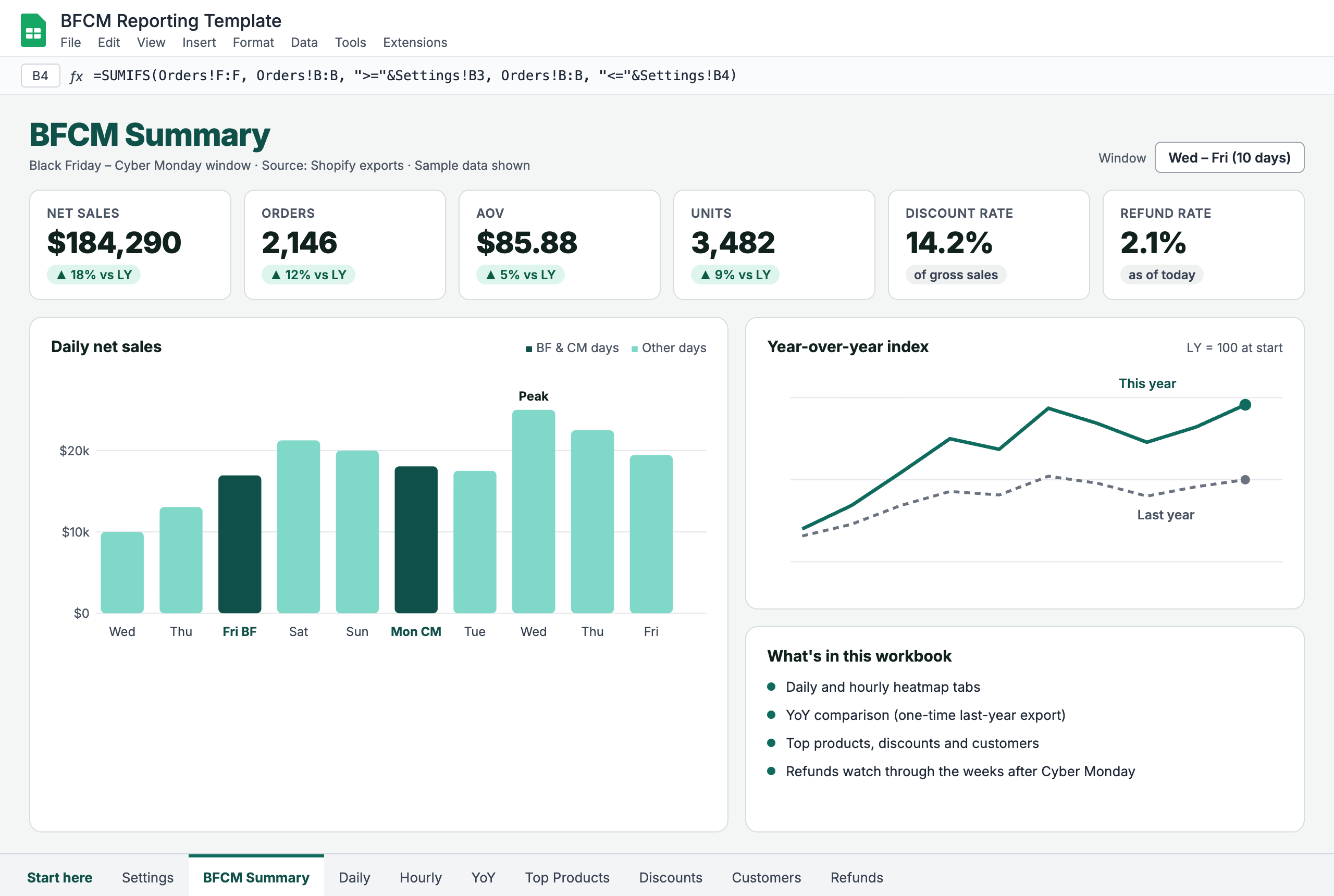
Net sales, orders, AOV, discount rate for the BFCM window
Day-by-day sales from baseline through Cyber Monday
Targets and pacing on the Summary tab
Comparison to last year on the Summary tiles
Hourly and Year over Year
Hour-of-day heatmap from Shopify order timestamps
YoY aligned by day index from Black Friday, not calendar date
One-time last-year export for the comparison window
Delta % for orders, net sales, AOV, and discount rate
Products, Discounts, Customers
Top products by units and revenue in the BFCM window
Discount code performance: orders, AOV, discount % of gross
New vs returning customer split for the window
START HERE and Settings tabs for setup and date ranges
Refunds
Refunds tab for post-BFCM returns by product
Refund rate on BFCM orders as returns keep arriving
Click "Get Template" and receive the make-a-copy link by email. Start free in SyncRange (no credit card required) and connect Shopify.
2
Connect the Sheet and Exporters
Make a copy of the workbook, connect it as a Google Sheets destination in SyncRange, and point your Shopify exporters at the copy.
3
Set Dates and Review BFCM
Use Settings for the BFCM window, map raw tab names, pull last year's data once for YoY, then monitor Summary, Daily, Hourly, discounts, and refunds through the weekend.
Ready for BFCM Reporting?
Get the free Google Sheets template and start free in SyncRange. No credit card required.
Get Template Access
Enter your email to receive a link to this template.

 Install on Shopify