Shopify App Demo
Install from the Shopify App Store, connect Google Sheets, BigQuery, or Excel, and keep orders, catalog, and inventory refreshing on a schedule.
Free plan · No credit card · From $19/mo · Setup guide
Prefer written steps? Jump to installation
Deep Shopify fields in tools you already own
Install from the App Store and manage destinations, exports, and schedules under Apps → SyncRange. No separate login dance for day-to-day work.
Orders, line items, metafields, customer segments, discounts, payouts, inventory by location, and more into Sheets or BigQuery you own.
Daily on free, hourly and faster on paid plans. Run now anytime.
Data lands in tools you own
SyncRange is the pipe from Shopify into destinations you already run. Not another dashboard locked inside an app.
Orders, products, and custom fields in a spreadsheet your team already opens every morning.
Shopify → SheetsWarehouse-grade syncs for SQL, long history, and models that outgrow a single sheet.
Shopify → BigQueryAlso build on top of those destinations
Live in Shopify admin in minutes
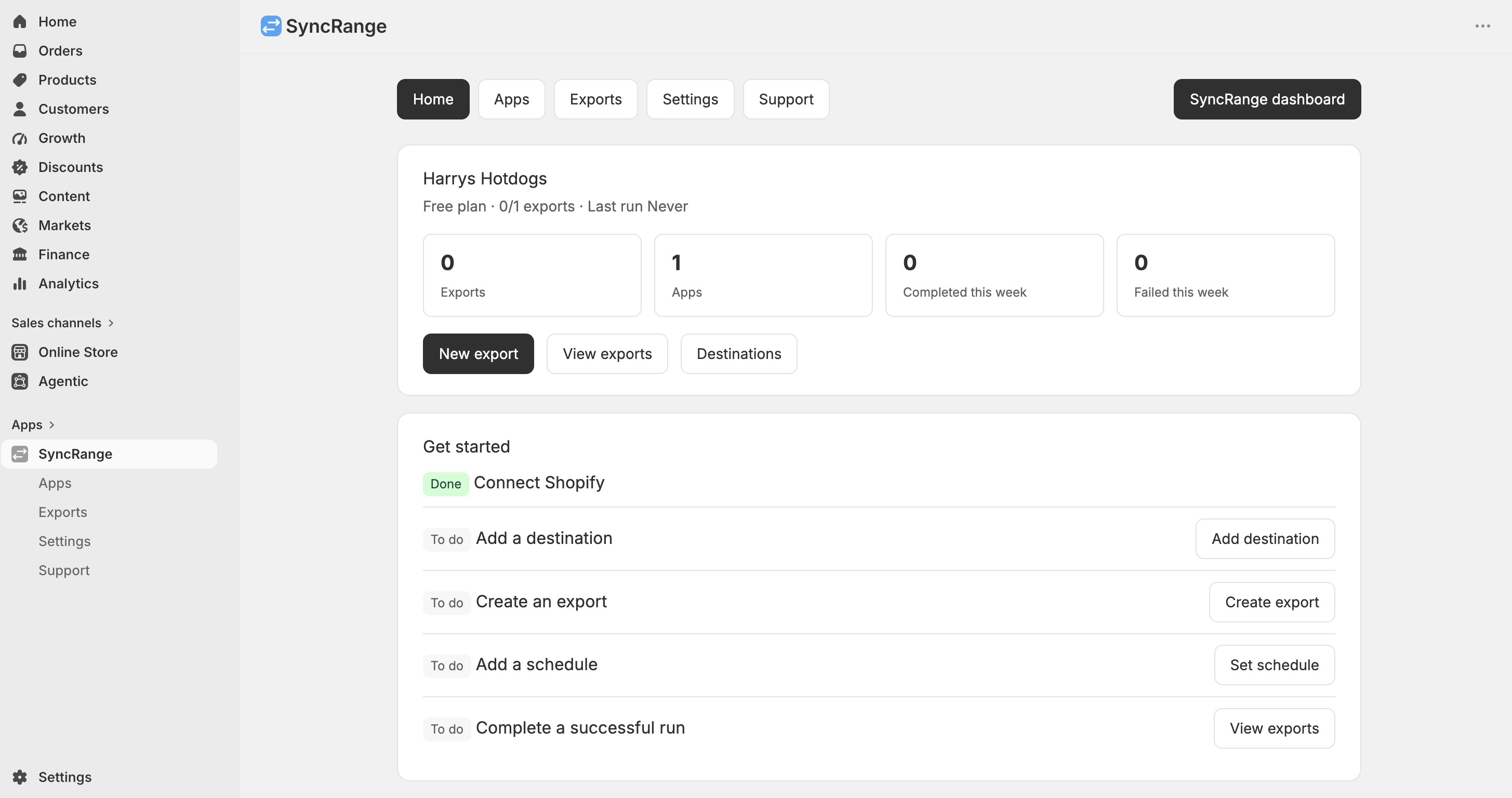
After you install from the App Store, open Apps → SyncRange. Connect destinations, create exports, and schedule syncs without leaving Shopify.
Get SyncRange from the Shopify App Store and complete authorization and billing when prompted.
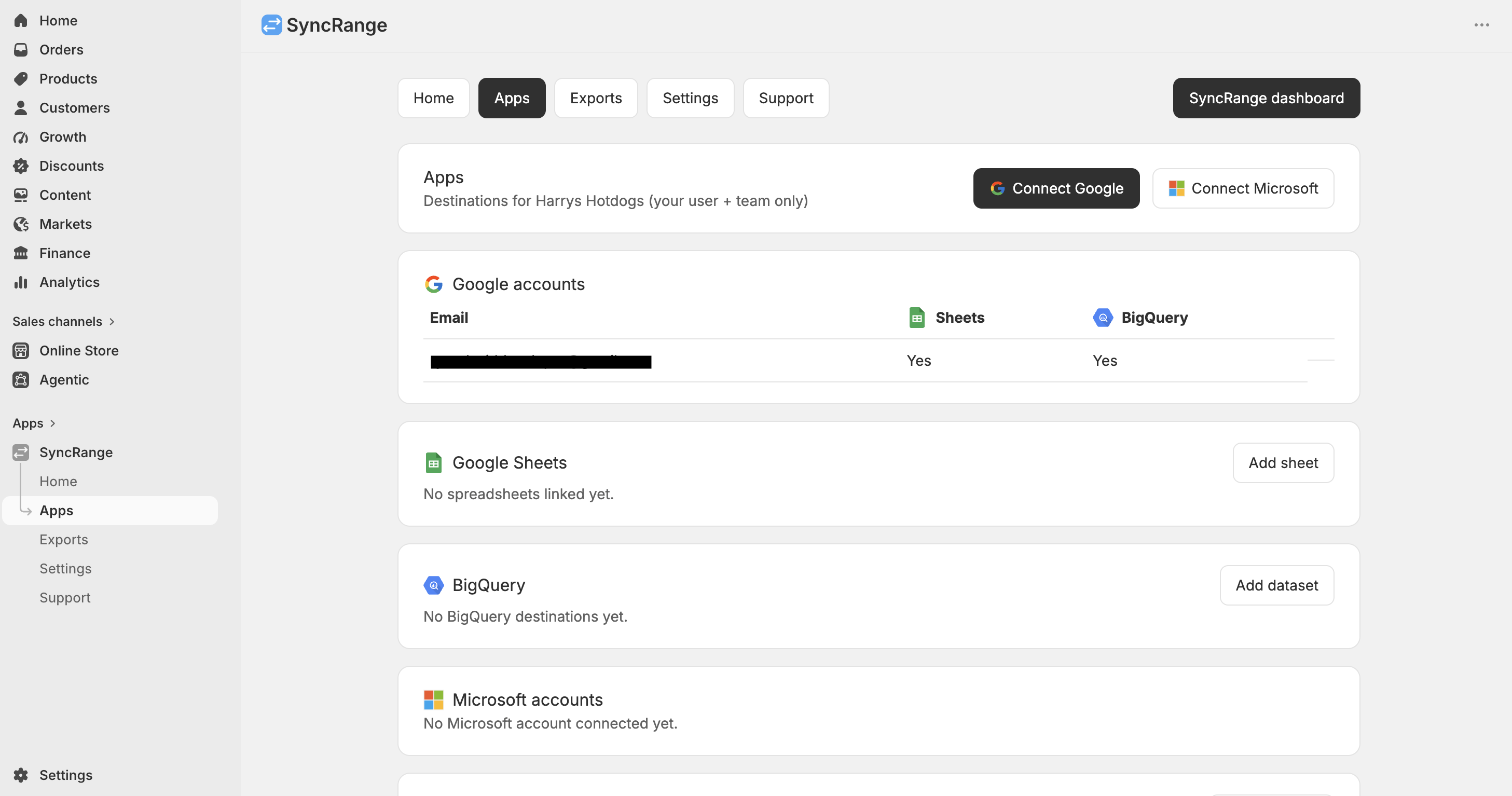
In Apps, connect Google for Sheets and BigQuery, or Microsoft for Excel.
Go to Exports → New export, pick tabs and columns, then run once to confirm.
Daily on free, hourly and faster on paid plans. Your spreadsheet or warehouse stays current.
The Apps page is where you manage Google Sheets, BigQuery datasets, and Excel workbooks. Accounts shared with your team appear here too.
The home screen shows get-started steps, recent export runs, and links to help. From there you manage everything without leaving Shopify.
Use SyncRange dashboard (top right) to open syncrange.com for ads sources, Data Blends, and team settings with the same login.
Choose the tabs and columns you need
Each export can include multiple tabs. Pick columns per tab so your sheet or BigQuery table matches the report you already run.
Full order history, line-level rows, discounts, note attributes, and fulfillment fields.
Catalog snapshots, variants, inventory quantity, cost, and inventory by location.
Customer profiles plus segment membership for CRM syncs and cohort work.
Product analysis, refund analysis, and sales metrics ready for MER and contribution margin.
Codes, values, eligibility, usage counts, and schedules for promotion reporting.
Payouts and balance transactions for finance reconciliation outside Shopify admin.
What merchants build first
Orders, line items, and discounts refresh overnight so finance and ops open a sheet that is already current.
Catalog, inventory, metafields, and years of order history for SQL joins without building a custom pipeline.
Add Meta, Google Ads, or TikTok on syncrange.com, then put store revenue beside spend for MER and daily P&L.
Scheduled product and inventory exports to Excel or Sheets so stock and SKU changes are never trapped in admin CSVs.
Land Shopify in Sheets or BigQuery, then connect Looker Studio to the destination you already control.
Sync into BigQuery or Sheets, then connect ChatGPT, Claude, or Gemini via SyncRange AI tools for questions on live store numbers.
Free plan included. Install from the Shopify App Store and create your first export in minutes.
Same SyncRange account, more sources
The embedded app focuses on Shopify exports. Open the SyncRange dashboard for ads, analytics, blends, and team settings with the same login.
GA4, Search Console, Business Profile
Export Shopify to every destination
Choose where your data lands. Each workflow page covers setup, scheduling, and reporting for that destination.
Start free. Upgrade when you need more syncs.
Billing works through Shopify or syncrange.com. Plan limits (exports and schedule options) are the same either way.
$0
1 connection · Daily sync
$19/mo
2 exports · Hourly · 2 users
$39/mo
5 exports · Hourly · 3 users
$79/mo
10 exports · 30 min · 5 users
$149/mo
20 exports · 15 min · 10 users
Annual billing includes 2 months free. Unlimited rows on paid plans (fair use). 10-day Pro trial available.
No. Install from the Shopify App Store and complete setup inside Shopify admin. Your SyncRange team is created as part of install. You can also open the same account later on syncrange.com.
Google Sheets, BigQuery, and Microsoft Excel. Connect them under Apps in SyncRange inside Shopify admin, then create exports that write to those destinations.
Yes. Use SyncRange dashboard in the embedded app to open syncrange.com in a new tab with the same team. That is where you add ads sources, Data Blends, AI tools, and more team settings.
Usually not. Once the store is linked to your account, you can open SyncRange from Apps in Shopify admin. See the Connect Shopify docs if the store is not linked yet.
Paid plans include unlimited rows under fair use. The Free plan includes a monthly row allowance. There is no per-order surcharge. See pricing for plan details.
App Store installs can use Shopify billing. Plans and limits match syncrange.com: free daily sync, then paid tiers from $19/mo with faster schedules. Manage plan details under Settings in the app or on the pricing page.
Sign-in may open in a separate window. If you land on syncrange.com, close that tab and reopen SyncRange from Apps → SyncRange. Check Apps for the new connection; it often succeeded anyway.
Yes. Choose a date range or preset when you configure the export. Many teams backfill years of orders into BigQuery, then switch to scheduled incremental updates.
Email [email protected], use Support inside the SyncRange app in Shopify admin, or read the Shopify admin setup guide.
Social proof
See how teams export clean ecommerce and marketing data to BigQuery, Google Sheets, or Excel without manual work.
Shopify Store and Food delivery
Super easy to use and has been extremely useful in getting the real time data we need from our Shopify store. Ryan was super helpful in getting started, and responded to questions within minutes. Highly recommend.
Multi-brand Shopify Plus Operator
We run multiple Shopify stores and needed brand-level exports into BigQuery without custom pipeline maintenance. SyncRange gave us reliable scheduled exports and removed hours of manual QA.
Large marketplace
We struggled to find a Shopify extraction tool that went beyond basic product, order, and customer data until we found SyncRange. It effortlessly pulls everything we require, including metaobjects and custom fields. SyncRange's hands-on guidance has given us complete confidence.
Large Shopify Store
SyncRange was very helpful setting up Report Automation for my store. Highly recommend, Ryan made it as simple as possible and was very easy to work with. I recommend.
Install SyncRange from the App Store, connect a destination, and schedule your first export from inside Shopify admin.