Connect Seal Subscriptions with an API token so SyncRange can export subscriptions, items, billing attempts, and subscription rules to Google Sheets, BigQuery, or Excel.
Overview
Seal Subscriptions authenticates with a Merchant API token (sent as the X-Seal-Token header). SyncRange does not use OAuth for Seal. You copy the token from your Seal app settings, paste it into SyncRange, and we store it encrypted for use when exports run.
Video walkthrough
Watch how to find your Seal API token and connect Seal Subscriptions in SyncRange.
Open your Shopify admin and go to the Seal Subscriptions app.
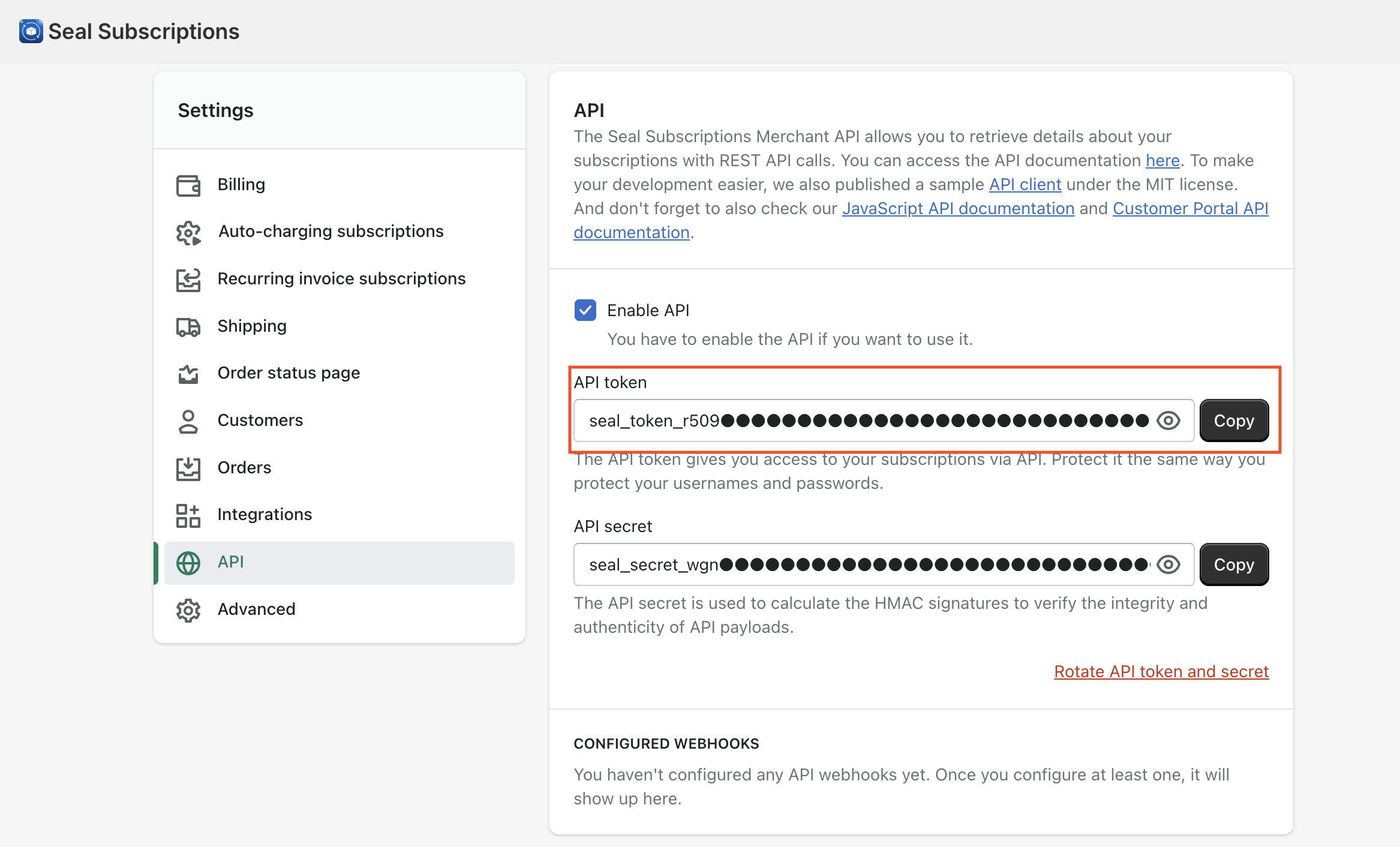
Open Settings, then General Settings.
Find the API section.
Copy the API token (starts with seal_token_). You do not need the API secret, that is only for webhook HMAC verification, which SyncRange does not use.
Seal Subscriptions → Settings → General Settings → API
Keep the token private. Do not share it in chat, tickets, or screenshots that leave your team. If it is exposed, generate or rotate a new token in Seal and update the connection in SyncRange.
Connection steps in SyncRange
Open Apps (Connections) in SyncRange.
Click Connect Seal (or Add connection → Seal Subscriptions).
Enter a Shop name — a label you will recognize (for example, your Shopify store name).
Paste the API token from Seal.
Click Connect. SyncRange validates the token against Seal’s API before saving it.
Your shop appears as connected on the Apps page.
What is stored
SyncRange stores the shop label you entered and the API token encrypted at rest. The token is used only to call Seal’s Merchant API when an export runs. SyncRange does not store card numbers from Seal, only the limited payment metadata Seal returns (for example card brand and last digits) if you choose those columns in an export.
Managing the connection
View the connected shop from the Apps page and open View Dashboard for related exports.
Use Update API Token on the Seal dashboard if Seal issues a new token or the old one stops working.
Disconnecting removes the Seal shop and all associated exports from SyncRange.

 Install on Shopify