Connect ShipStation with a V2 API key so SyncRange can export shipments, labels, products, inventory, and more to Google Sheets, BigQuery, or Excel.
Overview
ShipStation authenticates with an API key (sent as the API-Key header). SyncRange uses the ShipStation API v2 — not the legacy V1 key. You copy the V2 key from ShipStation, paste it into SyncRange, and we store it encrypted for use when exports run.
Prerequisites
A ShipStation account on a plan that includes API access
Permission to view Account Settings → API Settings in ShipStation
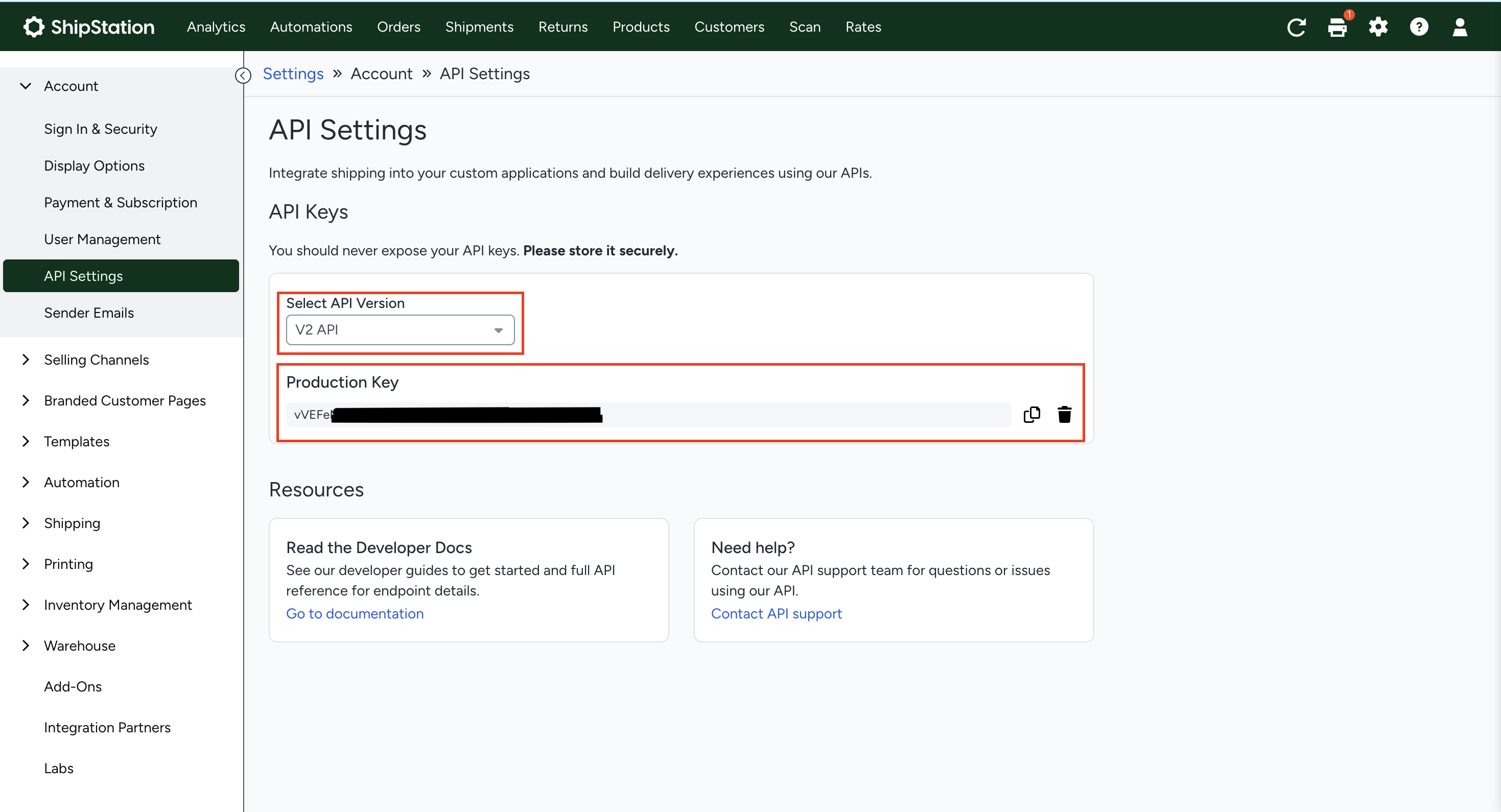
Open Account Settings (or Settings), then API Settings.
Generate or copy your ShipStation V2 API key. Do not use a V1 legacy key.
Store the key somewhere safe — ShipStation may only show it when it is created.
ShipStation → Account Settings → API Settings
Keep the key private. Anyone with this key can access your ShipStation account data. If it is exposed, revoke it in ShipStation and update the connection in SyncRange.
Enter an Account name — a label you will recognize.
Paste the API Key from ShipStation.
Click Connect. SyncRange validates the key against ShipStation’s API before saving it.
Your account appears as connected on the Apps page.
What is stored
SyncRange stores the account label you entered and the API key encrypted at rest. The key is used only to call ShipStation’s API when an export runs. SyncRange is read-only for ShipStation — it does not create labels, update inventory, or change account settings.
Managing the connection
View the connected account from the Apps page and open View Dashboard for related exports.
Use Update API Key on the ShipStation dashboard if you rotate the key in ShipStation.
Disconnecting removes the ShipStation account and all associated exports from SyncRange.

 Install on Shopify